
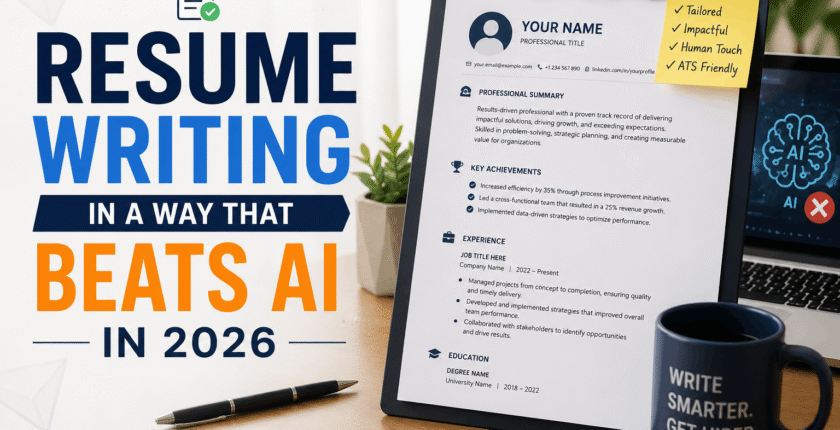
Resume Writing in a Way That Beats AI in 2026
Once, when I was applying for a job, I was denied acceptance within three minutes of applying for that position.
Not three days. Three minutes. I checked my email expecting to see I had accidentally clicked “send,” but instead I saw a friendly little message saying that “at this time, I wasn’t a match for this role.” Even though I was fully qualified for the position. A job I’d done, basically, for the last four years.
That’s when I actually sat down and learned what happens to a resume the second you hit submit—and it’s not a hiring manager reading it with a coffee in hand. It’s software. An ATS is a computer program that analyzes your resume before a human does, and by 2026, most of these ATS systems will have an added feature of artificial intelligence, which ranks you based on the relevancy of your resume.
I understood that it would be better for me to focus on improving the format of my resume rather than blaming myself for how I was doing. In three weeks’ time, I had four interviews due to the fact that I had improved my resume format. Same person, same job history, completely different result. And here is everything I learned through the process—everything that was helpful to me and everything that kept me from interviews that I definitely could have had.
What Exactly Takes Place When You Click on “Apply.”
Any medium-sized or large company will use one of the above applicant tracking systems, such as Workday, Greenhouse, iCIMS, or Taleo. Your CV will be entered into the system, the keywords will be checked against the job description, and you will get a rating. By 2026, many of these systems will be using other kinds of generative AI to summarize candidates and identify “strong matches.”
This is the magic trick that few know about; the program does not read your resume in the way that you do. It will extract text, dates, positions held, and skills and try to fit them into specific categories. If it fails to recognize something because of bad formatting, or the resume simply does not contain certain words, the best candidate may never reach a person’s eyes.
This was proven for me when I had an amazing resume design with two columns. It looked wonderful to my eye. Turns out a lot of ATS software reads left to right across the whole page, which meant it was mashing my job titles and dates together into gibberish. My “beautiful” resume was unreadable to the machine.
Step 1: Match the Job Description, Word for Word (Where It’s True)
This is the single biggest lever. If the posting says “project management,” don’t write “managed projects” and assume the system will connect the dots. Some AI-assisted tools are getting better at this kind of semantic matching, but plenty of companies are still running older ATS logic underneath, so don’t gamble on it.
What I actually do now:
- Copy the job description into a blank document.
- Highlight every skill, tool, and qualification mentioned.
- Cross-check that list against my resume.
- Rework my bullet points to naturally include the ones that genuinely apply to me.
I’m not talking about stuffing keywords in white text or repeating “SEO” fifty times in a footer—that trick is dead, and honestly it was always risky. I’m referring to the use of the same language that the employer uses, because that is the language that the system has been trained on recognizing.
Step 2: Make the Formatting Bland (Intentionally)
I know this feels counterintuitive when every template site is selling you on icons, colored sidebars, and creative layouts. But boring formatting is what actually gets parsed correctly.
Stick to this:
- One column, top to bottom
- Sections should have headers like “Work experience,” “Education,” and “Skills” instead of “My Journey” or “What I Bring to the Table.”
- No text boxes, tables, or graphics for your actual content
- Personal information should not be included in the CV header or footer (will be disregarded by most applicant tracking systems).
- The following fonts may be used: Calibri, Arial, Georgia
However, I do have a “pretty” copy of my resume saved as a PDF file which I can distribute at any kind of function or even send an email to anyone. For any online job application, however, I always use the plain copy. Two resumes, two purposes.
Step 3: Save It the Right Way
This one bit me early on. I uploaded a resume as an image-based PDF (basically a scanned-looking file exported from a design tool), and the system couldn’t extract any text from it at all. My application went in as a blank profile.
But now, whether I save as a standard, plain-text PDF or as a .docx file depends on which one the program calls for. If you get the choice, go with the latter; .docx files are the most readable files, all things considered. Just test your own file by opening it up and trying to copy some text out of it. If you can select real text, you’re fine. If it behaves like a picture, fix it before you apply anywhere.

Step 4: Quantify Everything You Can
AI scoring systems and human recruiters both respond to numbers. “Managed a team” is meaningless to them. Managed a team of 9 and reduced onboarding time by 30%” speaks volumes to them, and by the way, it just sounds more impressive to an applicant screening your resume in six seconds.
I did some digging into my entire work experience and made sure that for practically every line, I quantified it in some way: team size, percentage improvement, dollar savings, tickets closed, or projects completed. When I couldn’t, I quantified the scope of my efforts (“Led migration project of our three regional offices”).
Step 5: You need to Use a Tool to Sanity-Check Your Match
I don’t obsess over this, but I do run my resume against the job posting using a keyword-match tool before I apply to anything I really want. JobScan is the one I’ve used most—you paste in the job description and your resume, and it shows you your match percentage and which important terms you’re missing. Teal and Rezi offer similar features if you want free alternatives to try.
I’ve also tried to paste my resume and a job description in Claude or ChatGPT and asked, “What skills or keywords from the job description are missing in my resume?” This approach is not foolproof but does help me spot any skill keywords that I tend to overlook.
A Fast “Before and After”
My original bullet point:
“Responsible for handling customer issues and improving processes.”
Once I rewrote the above line to match the job ad and add real figures:
“Average resolution of 45 customer service tickets per week, reduced response time by 22% with enhanced escalation process.”
Same job. Same person. Completely different signal to both the AI and the human reading it afterward.

Mistakes I See Constantly (and Made Myself)
Using a “creative” template from a design site. They look great as a PDF preview and often parse terribly. Keep the visuals for your portfolio website and not for your ATS resume application.
Placing your work experience in table format. Some ATS misread the content in tables as being out of order or simply ignore it, making it seem as though you have zero experience whatsoever.
Using a job title that’s not recognized by the industry. Say you worked as a “Customer Success Manager,” but the common job title is “Account Manager”; it’s a good idea to add both titles somewhere in your resume because the ATS matches keywords, not the job role itself.
Overusing keywords. The tendency to fill up your resume with as many keywords as possible, regardless of relevance, gets flagged by better AI algorithms and also looks really strange when read by a human. And it’s just not relevant.
Having only one version of your resume. My approach is to maintain one master copy of my resume, containing every job and bullet point I’ve ever written, and then tailor it for each particular application, taking around ten additional minutes for each new application process.
Not taking into account the human who will read it next. It is one thing to bypass the AI part, but then when the recruiter gets to the point where they start reading your CV, it has to be honest and show your capabilities. Don’t try to squeeze yourself into something you won’t be able to verify during the interview.
Where I Landed
None of this is about gaming a system. It’s all about using the same language that the system is built for recognizing so that you actually have a chance to get through. The position that I talked about right at the beginning—that turned me down in just three minutes—I applied for a very similar position at the same firm again some two months later when I had rewritten my CV. And I got a callback within four days.
Same skills. Same person. I just finally wrote it in a way both the robot and the recruiter could understand.